
The Posture Break App I Built After 15 Years of Desk Pain
I tried posture apps, Pomodoro timers, and exercise reminders. None worked alone. So I built one app that combines all three. Free on iOS and Android.
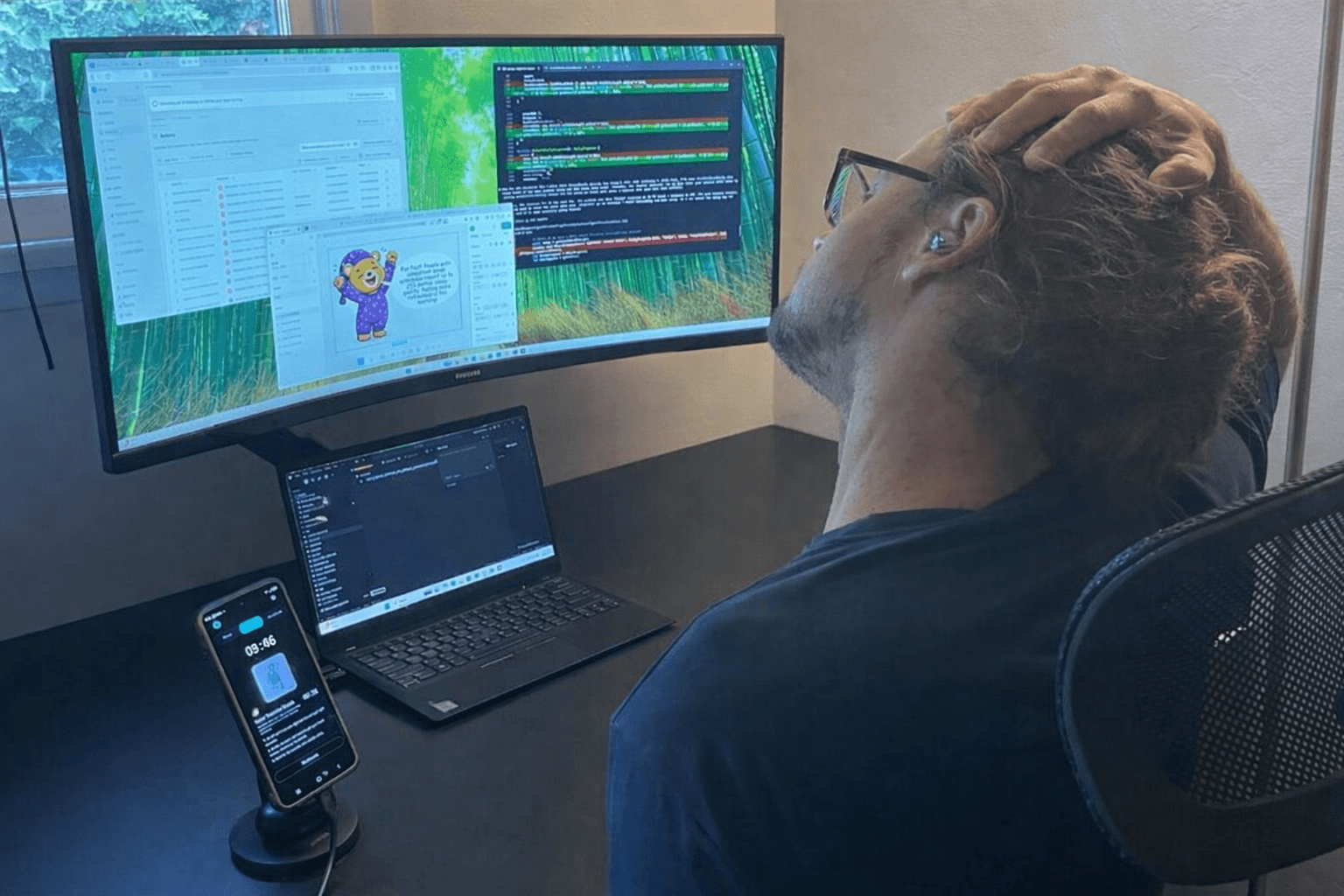
I have spent the last 15 years sitting at a desk, hunched over a keyboard, staring at a screen. By my early thirties the damage was obvious. Chronic neck pain. Tight shoulders. A lower back that felt like it had been slowly compressed all day. By 3pm most days I was stiff enough that standing up felt like unfolding a lawn chair.
I tried to fix it. Physical therapy, chiropractors, ergonomic chairs, a standing desk. Some of it helped temporarily. None of it stuck. The exercises worked when I did them. The problem was I never did them consistently. I would start a routine, keep it up for a week, then get buried in work and forget about it for a month.
That cycle repeated for years. I knew what to do. I just could not get myself to do it regularly. So I built Posture Pomodoro, a posture break app to solve the problem for myself. It is free on iOS and Android.
Why Posture Apps, Timers, and Exercise Reminders Don't Work Alone
I tried three categories of tools before building my own. Every posture reminder app, every break timer, every exercise app solved part of the problem but failed on its own.
Pomodoro timers are great for focus. I have used them for years. But the breaks were wasted. The timer would go off and I would check my phone, scroll through something, or just sit in the same hunched position. The structure was there, but it did nothing for my body.
Posture reminder apps like SitApp and webcam-based posture detectors can tell you when you are slouching. But knowing you are slouching is not the problem. You already know that. The alert goes off, you sit up straight, and ten minutes later you are right back in The Drift. These apps detect the symptom but do not fix the cause.
Exercise break apps like Wakeout and Stretchly give you stretches and movements. But they have no timer structure. You have to remember to open them, which means you do not open them. And none of them tell you what is actually wrong with your posture, so you are guessing which exercises to prioritize.
The missing piece across all three: measurement. None of these tools told me where I actually stood. I was guessing what was wrong, guessing which exercises to do, and hoping something would help. Without a way to measure my posture, I had no idea if anything was working.
A Posture Break App That Combines Structure, Exercises, and Measurement
The insight behind building this posture break app was simple. A Pomodoro timer gives you structure. Desk exercises give you the fix. Posture analysis gives you measurement and direction. But juggling three separate apps is friction you will never maintain. So I put all three in one place.
The timing is not arbitrary either. A Columbia University study found that five minutes of light walking every 30 minutes reduced blood sugar spikes by 58% and lowered blood pressure by 4-5 mmHg, comparable to the effect of six months of daily exercise. The standard Pomodoro interval of 25 minutes of focus followed by a 5-minute break maps almost perfectly to this research.
Structured breaks also outperform "I'll take a break when I feel like it." A 2023 study in the British Journal of Educational Psychology found that people using structured Pomodoro-style breaks had lower fatigue, less distractedness, and higher concentration than those who self-regulated their breaks.
The science lines up: structured breaks, movement during them, and consistency over time. That is what the app is built around.
How the App Works: Posture Analysis, Focus Timer, Guided Exercises
Start With Your Baseline
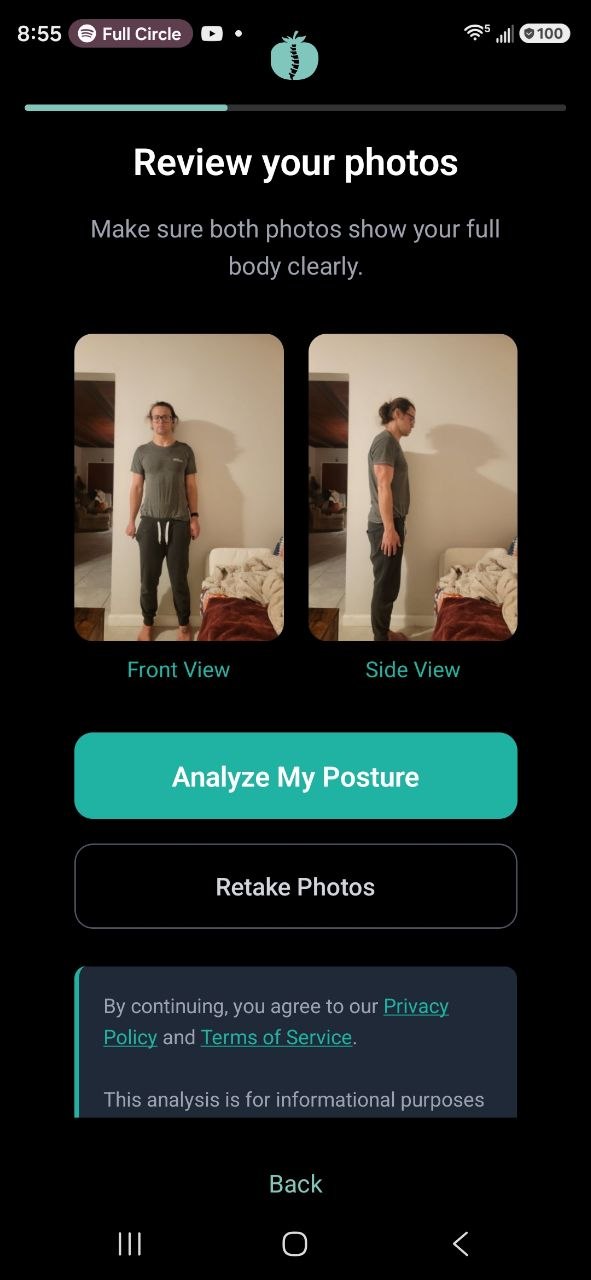
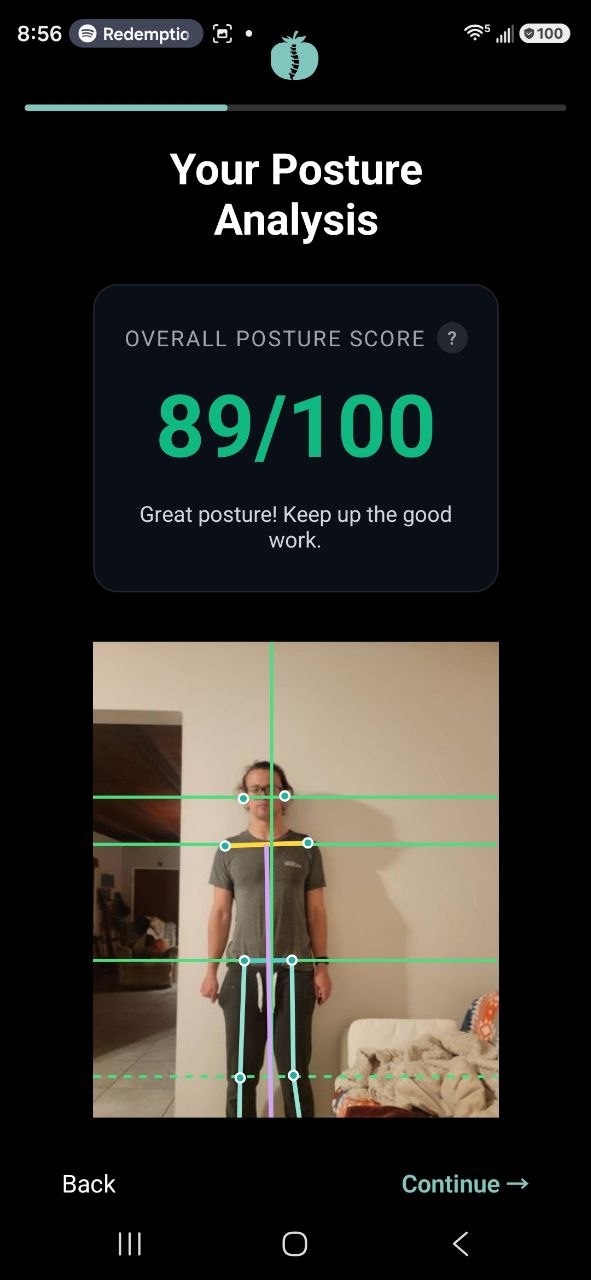
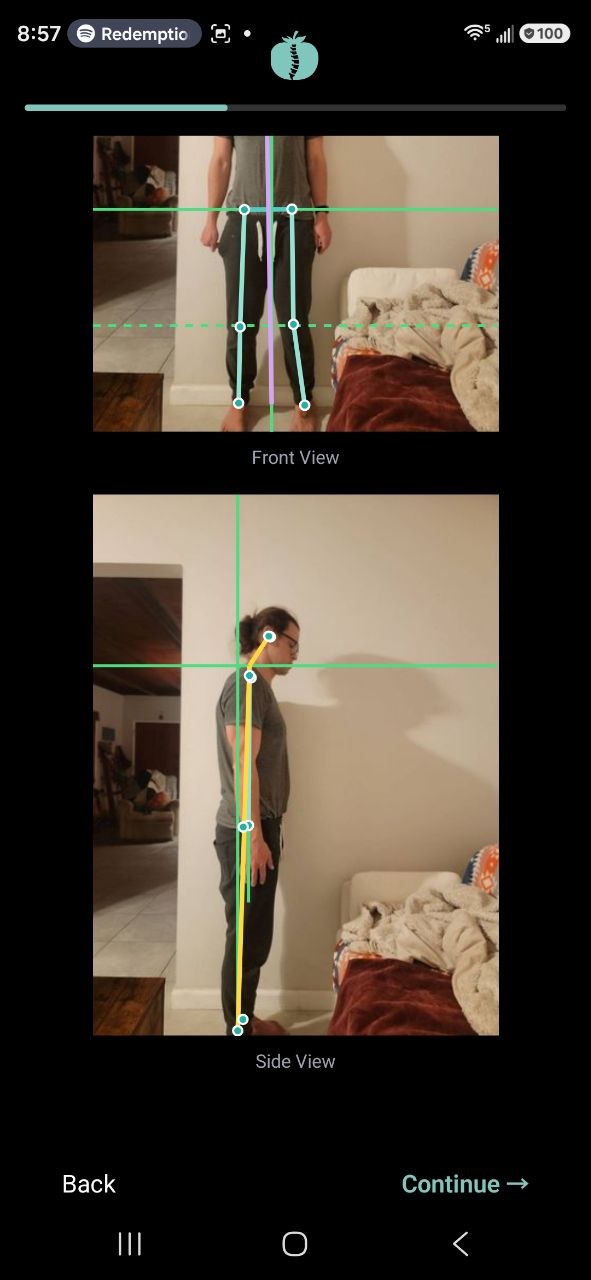
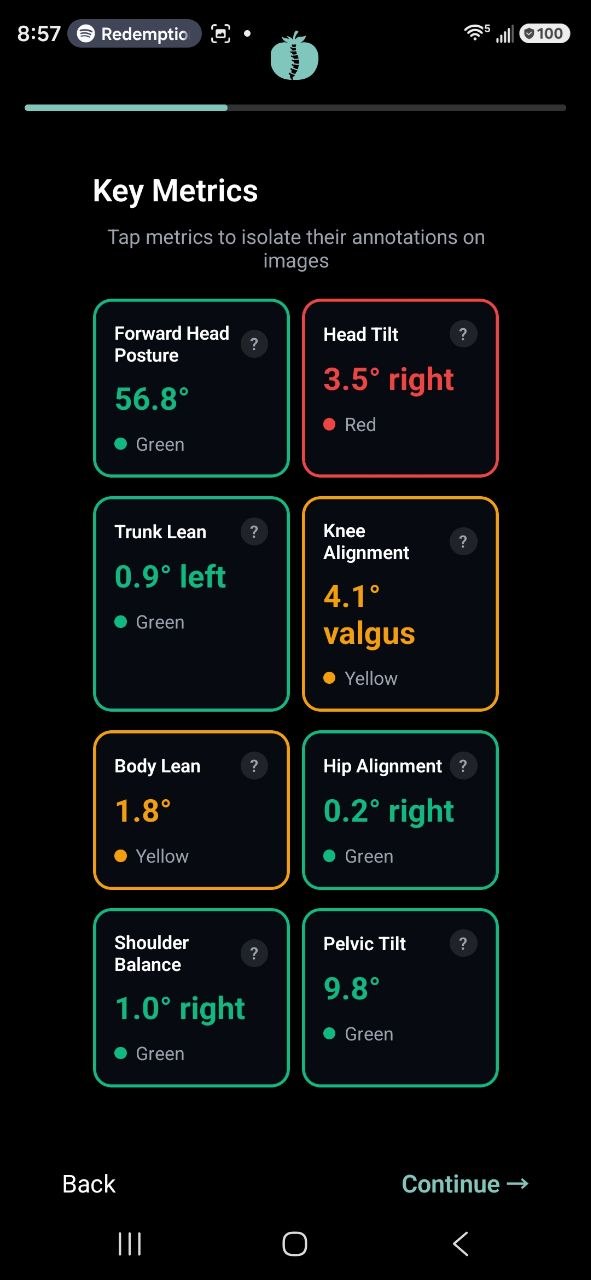
The first thing the app does is walk you through a posture analysis. Two photos, one from the front and one from the side. The same analysis engine that powers the free web posture analysis runs right inside the app. It calculates 8 specific posture metrics and gives you an overall score from 0 to 100.
You see exactly what is off before you do a single exercise. Head forwardness, pelvic tilt, shoulder leveling, the works. Green means healthy range. Yellow means room for improvement. Red means that area needs attention. It turns "I think my posture is bad" into "here is specifically what is wrong and by how much."
Focus, Break, Move
Once you have your baseline, the Pomodoro timer takes over. The default is 25 minutes of focus followed by a 5-minute break, with a longer 15-minute break every 4 rounds. You can customize the intervals to fit your workflow.
The app runs in the background with a persistent timer so you can see time remaining without opening it. When a break starts, you get a notification and a guided exercise. The app picks from 25+ exercises covering neck, shoulders, chest, hips, and full-body mobility. Each exercise has clear text instructions and an image showing the movement.
The longer break every 4 rounds is your cue to get up and actually move around. Walk to the kitchen. Step outside. The point is to break the sitting pattern entirely, not just stretch at your desk.
Track Your Progress
The app tracks your daily focus sessions, total focus time, and number of exercises completed. You can re-run the posture analysis any time to see your scores change. Do the routine for a few weeks, then take two more photos and compare.
That feedback loop is what was missing from every other tool I tried. You are not guessing anymore. You can see whether the work is paying off.
Want to see where your posture stands right now? The free posture analysis measures 8 metrics from two standing photos. Takes about 60 seconds.
Why Desk Workers Need Structured Posture Breaks, Not Willpower
Research shows that 80.81% of office workers experience musculoskeletal disorders, with neck pain at 58.6%, lower back pain at 52.5%, and shoulder pain at 37.4%. Most of us are dealing with this. It is not a niche problem.
The issue is not a lack of information. There are exercises that work. The issue is consistency. You know you should stretch. You know you should take breaks. But when you are deep in focused work, your body is the last thing on your mind.
This is what a posture app for desk workers should actually do: remove the two decisions that derail most people. When to take a break, and what to do during it. The timer handles the first. The guided exercises handle the second. You just follow it.
What's Next
The app is free on iOS and Android. I am actively building it and adding features based on tester feedback. Custom exercises and more detailed in-app posture assessments are coming soon.
If you have been dealing with desk pain and nothing has stuck, give it a shot. I built it because nothing else worked for me, and I figured other people were stuck in the same cycle.
Download the Posture Pomodoro app for free on iOS or Android and start building the habit.